Never miss a split-second moment again.
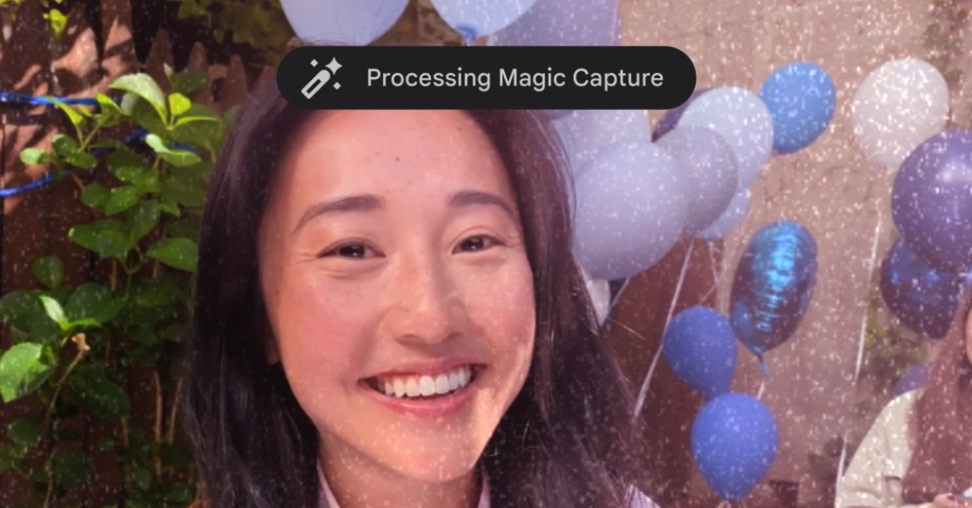
Magic Capture is a new camera feature introduced with the Google Pixel 11. It automatically captures your best photos while you record video, so you can stay focused on what’s happening rather than worrying about getting the perfect shot.
From a baby’s smile to a playful pet or a fast-moving sports moment, Magic Capture is designed to help you catch the action as it happens.
What is Magic Capture?
Magic Capture uses on-device intelligence and Gemini models to analyse around 400 frames during a typical capture session. It then identifies the best moments and creates high-quality 12MP photos.
It can also automatically apply edits such as crop and unblur, helping your photos look ready to share without extra editing.
And because it captures video at the same time, you don't have to choose between taking a photo and recording the moment.
How to use Magic Capture.
Getting started is simple:
- Open the Camera app.
- Select Magic Capture from the slider at the bottom.
- Point your Pixel at the scene you want to capture.
- Tap Shutter to start.
- Let Pixel automatically capture the best moments alongside your video.
- Tap Stop when you're finished.
You can also manually capture snapshots while Magic Capture is active by tapping the Shutter button.
Whether it’s a quick smile, a playful pet or a fast-moving action shot, Magic Capture helps you capture the moments that are easy to miss.
With photos and video recorded together, Pixel 11 makes it simple to keep those memories and relive them whenever you want.